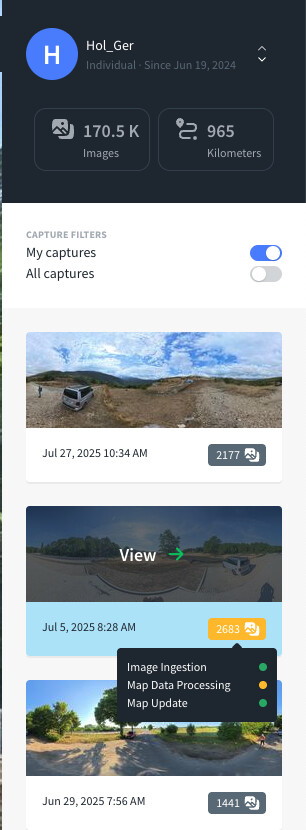
Around 15 days ago I wanted to try and upload a 360 video to be used. The upload seems to have gone well, but seems to be stuck in processing map data.
@balys Yeah, initially I assumed it to be a matter of images per sequence too. But, my latest uploads tend to suggest that it has not much to do with it specifically. Some of my latest 13k~15k sequences completed before some 7k sequences. However, other ca. 6k sequences just won’t budge. So, many of my latest sequences are also stuck for over a week now for no apparent reason. Is there anything contributors can do to unstuck sequence processing except for deleting an image?
I am going to try to upload my intersecting sequences one‑by‑one, that is only upload the next intersecting sequence after the previous has finished processing.
I am not sure this helped. Looks like it may also be connected to overall processing load? I wish we had at least some hint as to how to work around this issue, @balys. Fewer image count sequences are not really a solution either because they can get stuck too.
Apologies for taking a while to respond. Thanks for taking the time to evaluate and highlighting that you see shorter sequences getting stuck too. I’ve created a ticket for this to be looked into. The upside is, if there’s some systematic issue, all of the stuck uploads can get reprocessed.
Many of the features (like viewing/sharing and often image segmentation) are still available even if the upload is stuck.
I have not been able to determine a specific number and I also do not think that there is a fixed threshold above which sequence processing gets stuck. It seems to be a widely dynamic thing.
That’s right! However, I am particularly interested in traffic sign and point feature map layers, and these require reconstruction to complete. And, I do fully understand that some things are not easy or trivial to solve but require more time to truly get resolved. From what I understand, sequence processing completion depends on some non‑deterministic component. Thus, it would be nice if we would either have a workaround or some sort of mechanism for contributors to tap a stuck sequence, say like no sooner than 72 hours after upload. @nikola Would this make sense? Would such functionality be something that could potentially be easily added to the feed?
Sadly, I have to admit that I am sort of fed up with the current situation where for no apparent reason some sequences complete processing while others do not. I have tried multiple things, like splitting sequences and uploading again, or atomic uploads of intersecting sequences. It turns out that sequence image count definitely does not have much of an impact on sequence processing success because sometimes 19k count sequences finish processing nicely while 4k count sequences get stuck or vice versa. Additionally, sequences that are in fact absolutely fine and have been at least ingested before, are now rejected as Failed.
What seems to work as a workaround for densely captured sequences is splitting them into low count interleaved sequences. These are sequences that are more sparse but still cover and are made of an original single sequence. However, this is only an ugly mitigation strategy because this breaks neat dataset grouping and causes more work for contributors (it is quite laborious to upload).
@balys Splitting sequences into interleaved sub‑sequences seems to work as a workaround for now. One side effect of this however is that the distance stats for what was before covered by one sequence, now multiply with the interleaving factor. But anyhow, I do not think that this is how it should work from a contributor’s perspective. There should be no limit on image count per sequence, neither a soft limit due to any processing step nor a hard limit enforced by the uploading tool or the server.
Since it looks like reconstruction happens in sectors, why don’t you create multiple safe sized sets from random images per sector, than trying to process things per sequence when these may hit RAM or other limits? Reconstructing chronologically sorted sequences does not necessarily increase chances for overlap.
I already posted it in the old “Current processing delay” chat, but that one was (incorrectly) marked as “solved”, so maybe it should be mentioned here, too:
There are problems again, this time only with API requests. I don’t see new data anymore, for 2025-08-28 and newer.




 I am not sure this helped.
  Additionally, sequences that are in fact absolutely fine and have been at least ingested before, are now rejected as


