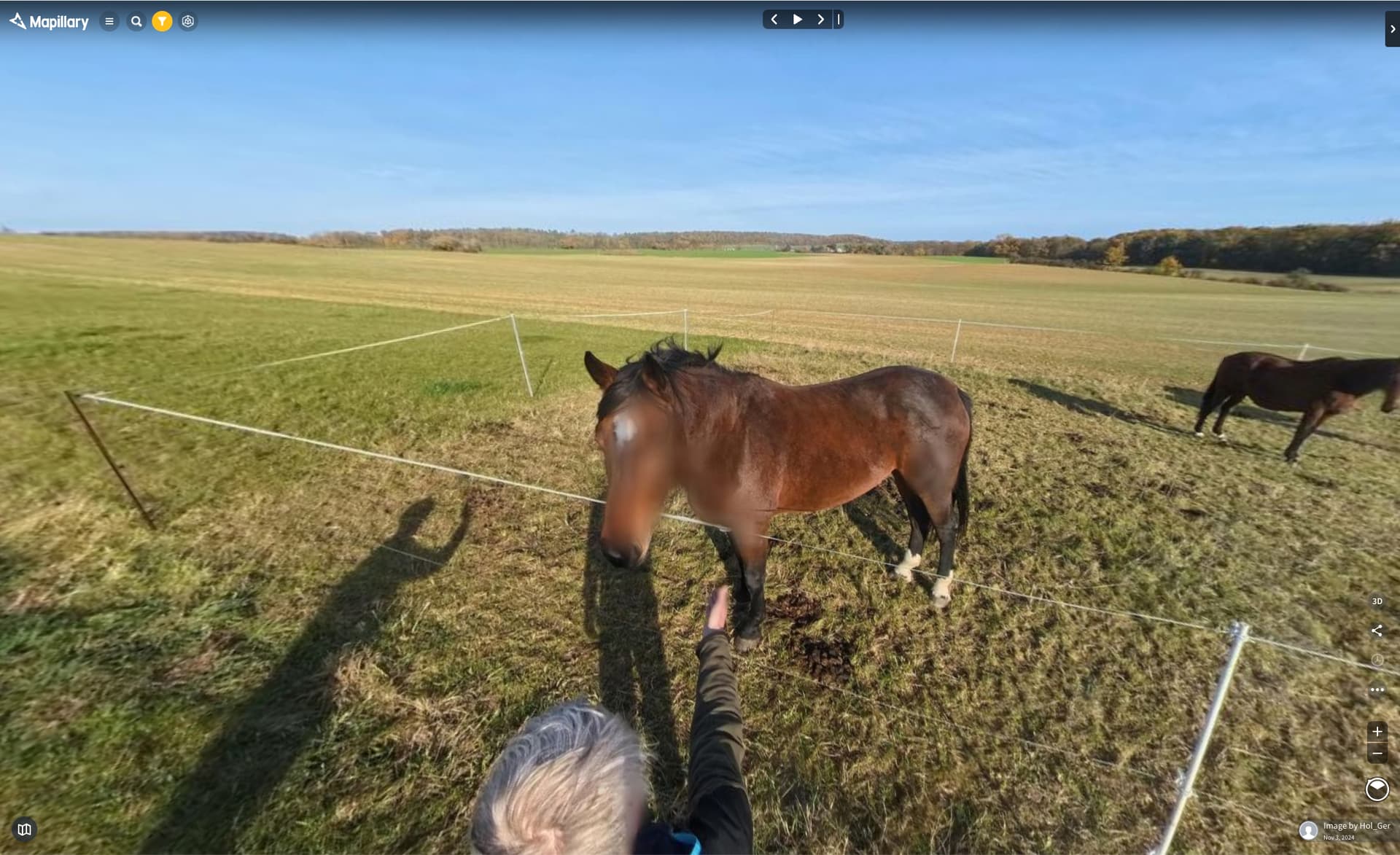
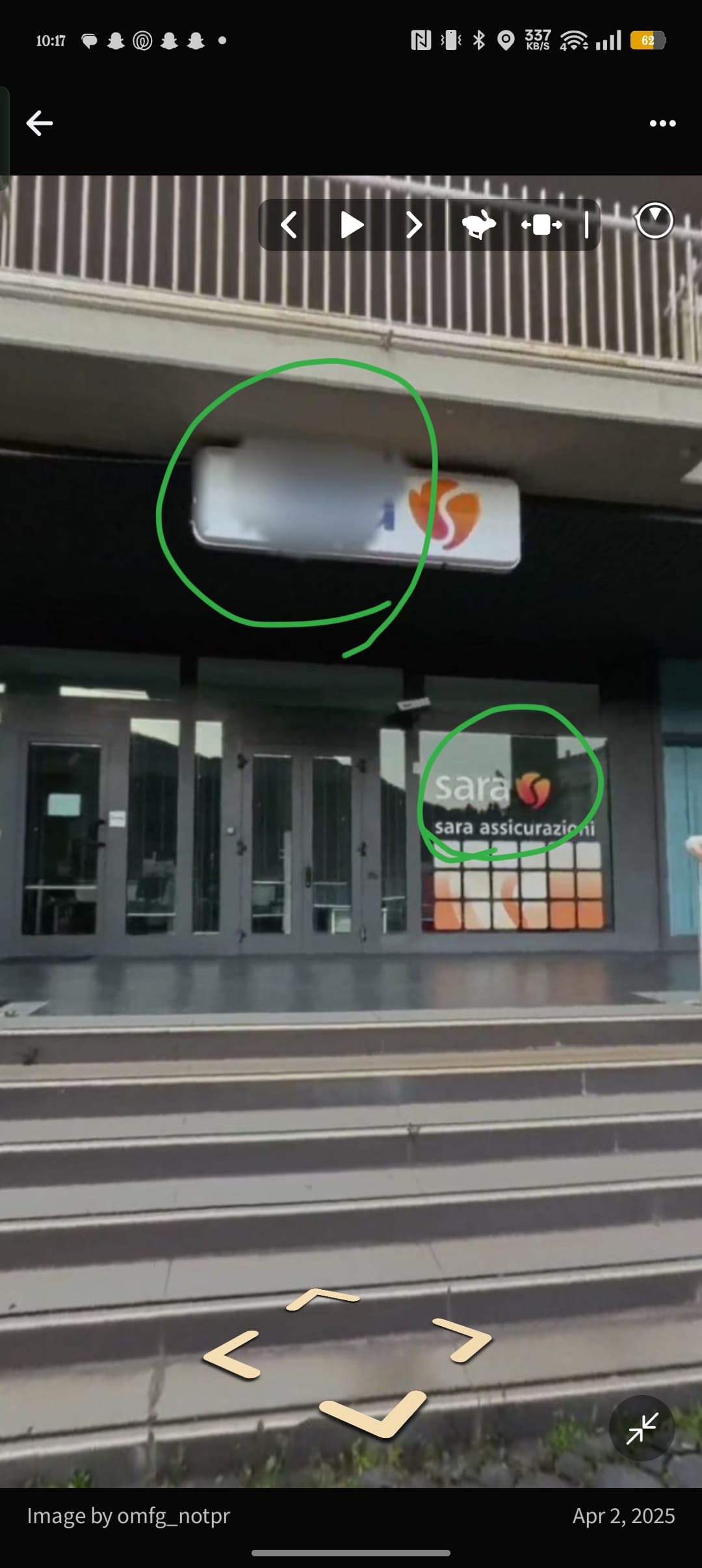
Similar erroneous blur here : Mapillary : the blurred word is BROODAUTOMAAT : a vending machine where you can get a loaf of bread when the adjacent bakery is closed.
There is a way to suggest to add blurs, but in this case I’d like to nominate a blur to be removed.
Looking at Mapillary : the name of the busstop is blurred - must be, as smaller print in destinations is readable.
EDIT (couple of minutes later) : not sure whether you’d need to blur ‘scouts’ in the sign directing visitors along a public way to the scouts hall? Blur the house number of the Scouts? See pKey=112906941807960 , but sure no need to blur part of a standard sign directing people to an AED / defibrillator?
= = =
On a different note : it would be helpful if the contributor could step through all pics they submitted that day, rather than pick each individual batch of three or ten pics?
Another example: Mapillary
Note the blurred small sign below “Landsberger Allee” — it contains the house numbers in this street segment.
(The house numbers were the main reason I made this photo, but luckily I still have the original photo available)
There are definitely improvements that can be made to the CV algorithms here - its a tricky problem, and something we hope to look at improving in 2024. Thanks for your patience folks.
Hi @GITNE - we hear you. There are definitely improvements that can be made to the CV algorithms here - and something we hope to look at improving in the future.
I confirm that I too. Most of the images we acquire at 360 degrees, we acquire to then map the house numbers. It happens very often that some numbers get blurred for no reason. A functionality opposite to the existing one that allows you to signal the need for further blurring would be really useful, that of signaling to remove unnecessary blurring.
Sorry to hear @GITNE - it looks like this street sign was detected as a license plate and blurred. There will unfortunately always be some false positives - and we will continue to improve the detection accuracy.
Feature Request: Option to mark sequences as “No automatic blurring needed” – Public Indoor & Cultural Heritage
Description
I regularly capture 360° sequences inside publicly accessible churches, chapels, museums and other cultural heritage sites. These images are primarily used to document architecture, altars, frescoes, paintings, statues and other artworks.
The current automatic face blurring system unfortunately often blurs faces on paintings, statues, angels, historical portraits and similar artworks, even though these are not real persons and no privacy concerns apply.
Proposed Feature
Add an option (during upload or afterwards) to mark a sequence with one of the following tags:
public-indoor
cultural-heritage
no-automatic-blurring
When such a tag is set, the system should:
Disable or significantly reduce automatic face blurring for the whole sequence
Optionally trigger a quick manual review by the Mapillary team
Clearly indicate to data users (OSM, developers, etc.) that this is cultural documentation
Why this is important
In many countries (e.g. Austria, Germany, and most of Europe) photographing public art in publicly accessible buildings is completely legal.
These sequences are very valuable for virtual tours, cultural preservation, tourism and historical documentation.
Manually correcting hundreds of blurred artworks with the current blur editor is extremely time-consuming and often not precise enough.
Additional benefit
This would also help distinguish real privacy-sensitive sequences from cultural content and improve overall data quality.
I’ve noticed the blur detection can sometimes get overly aggressive with reflections, stickers, or even high-contrast signs. Usually reporting the specific images helps, since the system seems to improve after enough false positives get flagged.
Thank you for mentioning ‘Reporting’; leaves the question “how would one go about that”, please?"
There is a ‘Report image’ option, accessed via the three dots (…) icon right bottom of picture, but the reasons listed all centre around various forms of ‘inappropriate’.
Would it be possible to add ‘overzealous blurring’ as a reason in the ‘Report image’ drop down menu, please, as blurs may be reviewed by another team than the ‘inappropriate’ team?
Alternatively, as there already is an ‘Add blurs’ button: could that be amended to just “Blurs”, with a drop-down to request either ‘add blur’ or ‘train traffic sign / person / other info recognition’, please?
In this respect, a pictorial database with all traffic signs (both current, and recently replaced designs) per country would likely help?
Hi folks - these are great suggestions. In practice we likely have enough data available in the public domain (and algorithms have improved generally) to make blurring more accurate. However, this is an item for later in our backlog, and not something we’ll be able to take on in the short-term unfortunately. We did make blurring improvements last year which helped relative to the prior state, and agree that there is more work to be done here!
While I generally agree that blurring rates have improved and the Mapillary team deserves credit for this, the matter of fact remains that AI can make mistakes. Hence, in my humble opinion there should always be an option for human beings to correct machine made mistakes (no matter by whatever algorithm) at the source. I am also aware that in this case this would require an original image retention period, which admittedly is a privacy rights concern of its own.