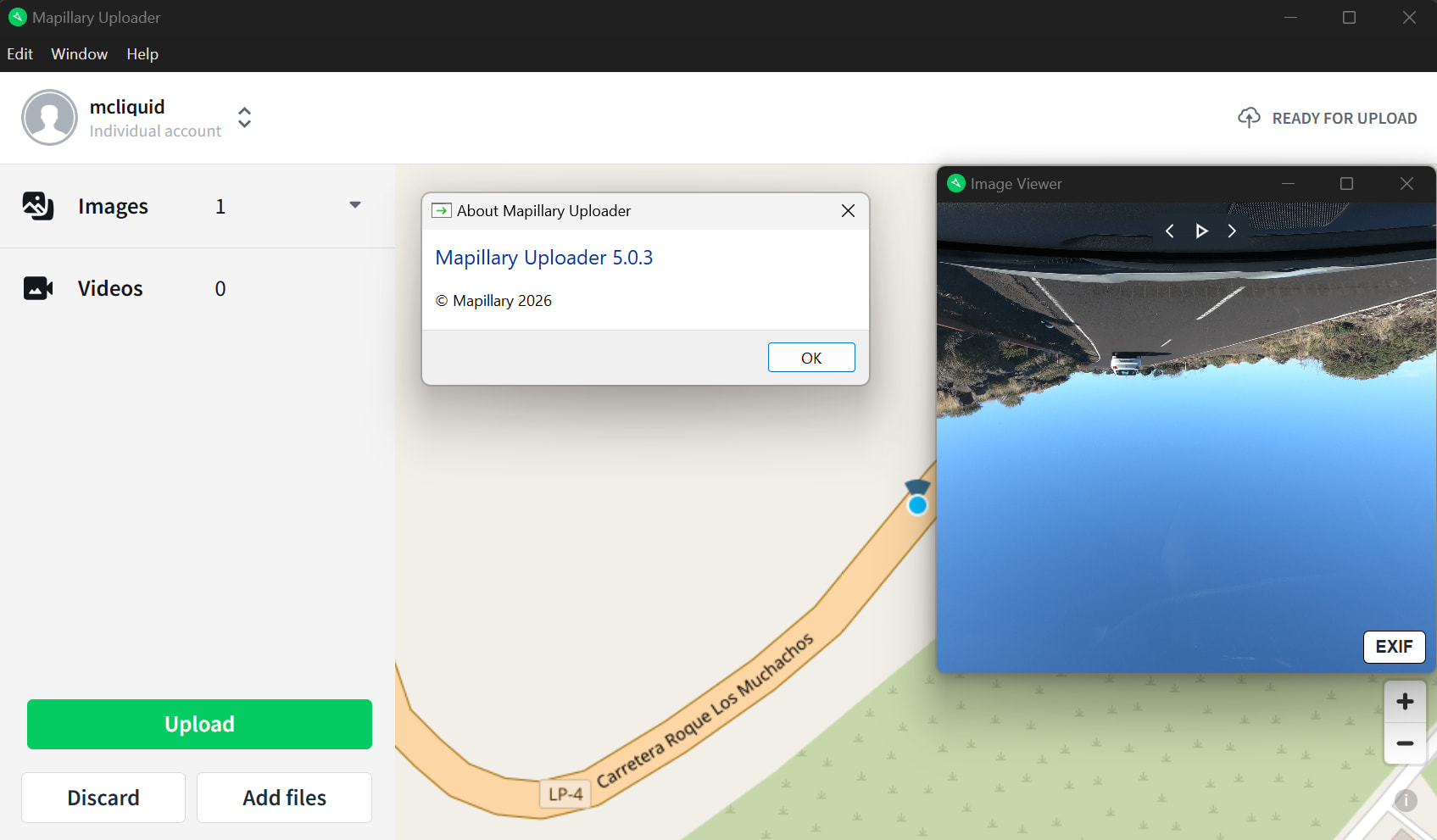
I’m experiencing an orientation issue with Mapillary Uploader v5.0.3. I’m uploading several thousand JPEG images from a GoPro Hero 7 Black. According to ExifTool, the images have Orientation: Rotate 180. In Windows File Explorer (thumbnails and preview) the images are displayed correctly, but in the Mapillary Uploader “Image Viewer” they appear upside down.
This suggests that Windows respects the EXIF Orientation tag, while the Mapillary Uploader does not and instead shows the raw pixel orientation.
Is this expected behavior? Does Mapillary ignore EXIF Orientation during upload and processing? If so, is the recommended workflow to physically rotate the images (e.g. 180°) and reset the Orientation tag to Normal (1) before uploading? Any official guidance or best practices for handling EXIF Orientation, especially with GoPro images, would be appreciated.
cc: @nikola - is this a fix we should make in the uploader preview to support the orientation exif tag?
@mcliquid could you try uploading a couple of the images and link the result here to see what happens when they are processed? This could just be an issue of the preview.
I uploaded a test here and noticed that the orientation is only displayed incorrectly in the image viewer of the desktop app. After uploading, the orientation is correct, so I have now uploaded the other images in the entire series.
In this case, it’s really just a visual issue, but it would be very practical for image control if the image were rotated correctly in the preview Thank you!
 Thank you!