About the artifacts: I’ve noticed that they were present in the initial frames, and they were more noticeable on one camera—specifically in the area that is to be blended. I’m not sure whether this is a hardware or software issue, and our blending process doesn’t resolve it. With my bare eyes, I would simply blend the images with emphasis on the clearer part, but the algorithm doesn’t recognize or account for this, at least for now.
There’s always a chance there’s more to it, but the artifacts were definitely present in the initial video I had. Here is a good example, on the branches.
P.S. That’s an extremely sharp eye you have - I would have spent years trying to find it
I’ve made a new version (v3) with the latest updates of ffmpeg/Mapillary_tools/Exiftool and has now nadir support. It’s only supporting GoPro 2. A new version with GoPro 1 (2019/2025) support will be coming in the future.
Edit: The latest version is 4.2.2a, and can be downloaded from the Github page. All the updates will be posted on the Github page. It has now GoPro Max 1 support.
Hi @GITNE, sorry for the delay - I was on PTO for a few days.
Regarding the video filters we use, I’ll need to check those (but later, I am working on other tasks now far from this), as they’re located deep in a different part of the code and will require some digging from me.
As for the camera parameters during capture. The video isn’t mine and I don’t have a Max 2 device nearby. @asturksever could you please help here, which params are set on the camera ?
Regarding max2sphere, I think there was a misunderstanding. This code isn’t from Mapillary, and we even use a slightly different approach. I thought you were looking for something open source and GoPro stitching related, and since I was knew about this repo, I shared it.
I have finally gotten the Max 2, and it’s quite interesting.
It should be noted that if you are upgrading from the original max, your batteries will not be compatible with the max 2, despite the near exact dimensions. The Max 2 batteries are slightly bigger than the ones from the Max 1, so they simply don’t fit.
Apart from that, I am enjoying the 8k quality of the Max 2 immensely, and it’s definitely worth the upgrade.
I am currently attempting to make my own gpx extracting script in Python, since Python will be compatible on all operating systems, and maybe Google Gemini will be able to figure it out eventually. I’ll send the code here once it’s done.
All you need to do is have this in a folder with all your .360 files, and it’ll go through every file and extract and create gpx files. Note that it currently doesn’t account for duplicate gps points, but the UL2GSV program I use fixes that anyway. If you have Python installed on your computer then this should work perfectly.
Got some good news and some bad news.
Good news is that I did a small update to the extractor to allow for it to extract any gps it finds, including if there isn’t any gps data at all. This will allow it to work on basically any .360 file no matter how broken it is.
The bad news is that it’s 100% possible to have .360 videos with no gps data at all (or at least any usable data). I’ve attached my broken video and extracted gpx file from the telemetry extractor website below. My Python script will also result in an empty gps track when extracting this video.
Edit: So the updated script also causes all of the chaotic and broken gps points to also appear in any file. Only use the updated script as a last resort if you have an external gpx file editor and can filter out the bad data yourself. (I’ve renamed it to “last resort”)
In my last post under the edit, you can see the broken gps track going across the state. There were about 59 of these broken points in total, and these are actually very important. Since these points were not included on the final GPX file, this causes all of the images to be shifted by about 1000ft off center on the correct part of the track.
The good news is that I’ve made some more python programs to fix this issue without having to completely rely on this website to fix 59 points (and hundreds more) manually. Also, not all of my gps tracks were broken like this, only about 33% of them need fixing (still painful but better than insta360).
The most important python program I’ve made for fixing these takes an index for the starting and ending segment to fix all points in between. It then changes the coordinates of them and arranges them perfectly spaced from each other in between the starting and ending indexes, effectively fixing the gps issue entirely with enough work. Also currently working on another that’ll fix the time stamps for gps points after the broken segments.
I’ll include the programs I’ve made to fix tracks on this google drive folder with the gpx extractor when they are working perfectly.
The main issue for me at the moment is getting the broken gpx files fixed. The extractors that I’ve made and the GoPro telemetry extractor website both show the same unfortunate results in the extracted gpx files. I found that two of my videos in total have their gpx data rendered completely unusable, and another 10 that have gps broken like this:
It should be noted that this tracking error only occurs at the beginning of videos, and never at the end of middle. I may try using my old Max 1 as a cursed gps remote in my glove compartment if these tracking errors keep happening on the Max 2 and seeing how that goes.
Another weird thing I found is that one of my videos didn’t get split up into 8 minute .360 files like it used to on the Max 1 for whatever reason. Even weirder is that this did work as intended on one of the videos taken. I’m not sure if this is intentional or not.
I also wonder if anyone else has been having this issue, as I hope that my camera doesn’t have a defect in how it saves gps.
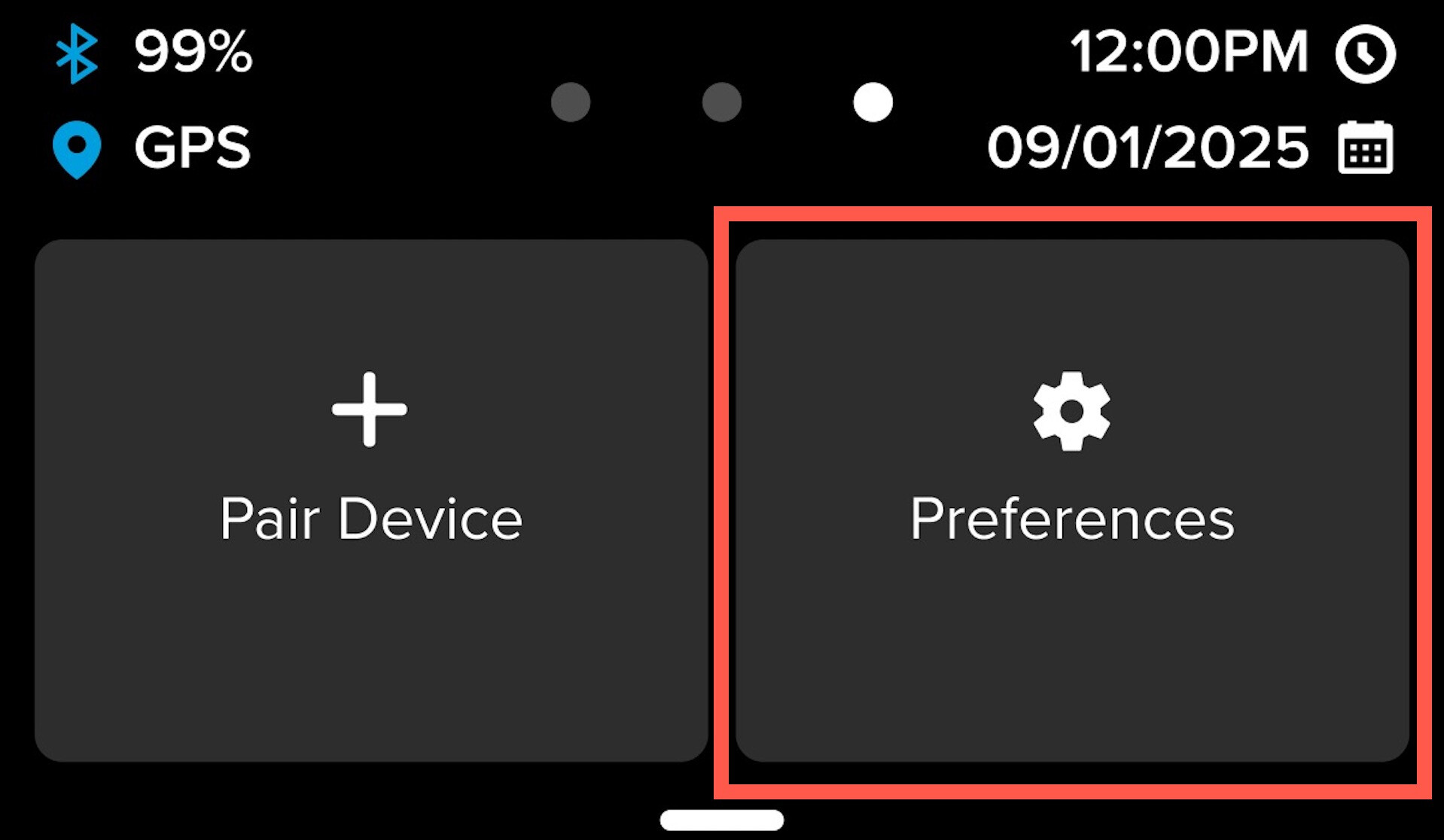
You have to wait a couple of minutes before you gonna drive, the GPS fix can take some time. The GPS is better on the Max 2 because of the use of Galileo and GLONASS.
The segments are 11 min and 40 seconds (around 10,5/11 GB).
If you still have an issue after waiting for a GPS fix (blue GPS symbol in the menu) than probably your device is malfunctioning. I had it with an Hero 9 and Max 1 out of the box, the quality control of GoPro is non existing.
The weirdest part is that these glitches happen even after about an hour of driving around, and the camera is constantly upright. I’ll see next time if waiting for the gps to be connected properly for a few minutes also fixes it for the entire drive.