I have been using the Mapillary-js 4.1.2 runtime in a web page to display a map and navigate through street level imagery for some time. I use the jsdelivr version.
I mostly use default viewer constructor options, with caching enabled but with the sequence UI disabled (default is enabled, not sure if this matters). The cover is disabled too.
Not sure if this is important but the problem can happen, eg., with SF downtown imagery.
In all cases when landing, caching is performed and the spatialedges event is eventually fired with status.cached = true. This seems logicial.
However, I currently observe two issues, which I am developing below.
Very often, I get the following errors (many entries) in the Javascript console:
Origin: GraphService.ts:340
Test: Failed to cache tile data (SOME_ID). MapillaryError: Failed to fetch data
at GraphDataProvider.ts:282:22
The spatialedges event nevertheless does fire, with status.cached=true, and navigation arrows show up.
Sometimes, navigation arrows do not show up at all, when they should. In rare instances, only one faint (low opacity) arrow shows up. Recreating the viewer from scratch using the same imageId does show all arrows, however just calling viewer.moveTo() using the same id does not cure the problem, which is very problematic.
In the Network pane of Edge, I see no errors at all, just 200 status codes. Everything seems ok. Some ‘images?…’ graph queries return 0-byte content, but still with a 200 status code. ‘images?….’ queries matching SOME_ID (as introduced above) seem to return valid content.
One thing I tried is to disable caching. This seems to solve the problem, but offers a less smooth navigation experience obviously.
Do you have any idea about could be wrong? I have a Maplibre map inset somewhere in my page that downloads coverage tiles when landing too, and this is working fine.
Thanks for reporting! I think maybe image density in the area (you mention SF downtown) could be the cause here. Can you share some image IDs where you’ve experienced this behaviour in the past?
Sure, this definitely happens around image id 802941794144066, typically upon landing. It does not always happen, though, just very frequently.
Also, disabling caching only seems to solve the issue (of arrows not showing up). I can’t be sure because I have not tested enough and the API does not let me determine if arrows are indeed fully “loaded” or not (beyond the spatialedges event which does not seem to be sufficient for this purpose).
Thanks! Looks like the API requests get very close to timeout (30 seconds) in the area around that image so I can imagine that there could be situations where the requests time out and that would be the cause of the errors you see. We’ll look into optimizing this API query for areas with high image density.
Sounds good. It is true this area is very dense. I will just disable caching for now and see how it goes in the future. Thanks for your insight and quick replies.
Just as I was sending the message I did notice I also got the same warnings in the console and the same unexpected behavior (missing arrows) with caching disabled :-(.
We’ve made updates to optimize the loading experience and now the arrows load significantly faster and you should not experience missing arrows even in the most densely captured area. Let us know if you experience any more problems.
I don’t know if I have done something wrong, but the situation seems much worse than before.
I am now getting plenty of errors, such as:
Failed to cache spatial images (556151223013153). MapillaryError: 105 (MLYApiException, AAc4NZL5………..auQ): The parameter image_ids must have at most 30 elements, 200 found.
Actually, I can’t get arrows to load at all in that area anymore.
Hi ive been having the same issue. im making a geoguessr game and cant seem to get the arrows to appear because of an MapillaryError: 105 error. when i do it on icognito the first round works but after it doesnt. This makes me believe its something to do with the cache. Have you found a solution because im stumpped
Sorry I was away last week. Thanks for your reply.
I just tested with Edge on Windows 11 (no extension installed, not in incognito mode), and the first link immediately gave me these errors, see the capture below:
The errors when using Mapillary JS 4.1.2 should be fixed now. We’ll continue to work on improving the performance and stability of these API endpoints.
Thanks for your prompt response to the issue. Unfortunately, it is still not working for me. I am getting another error now (and no arrows), here on Edge :
(Quick note: in my previous message you may have noticed the Ghostery browser extension in the capture - it is actually not active, hence the icon was greyed out ; I had tried to uninstall it altogether, to no avail).
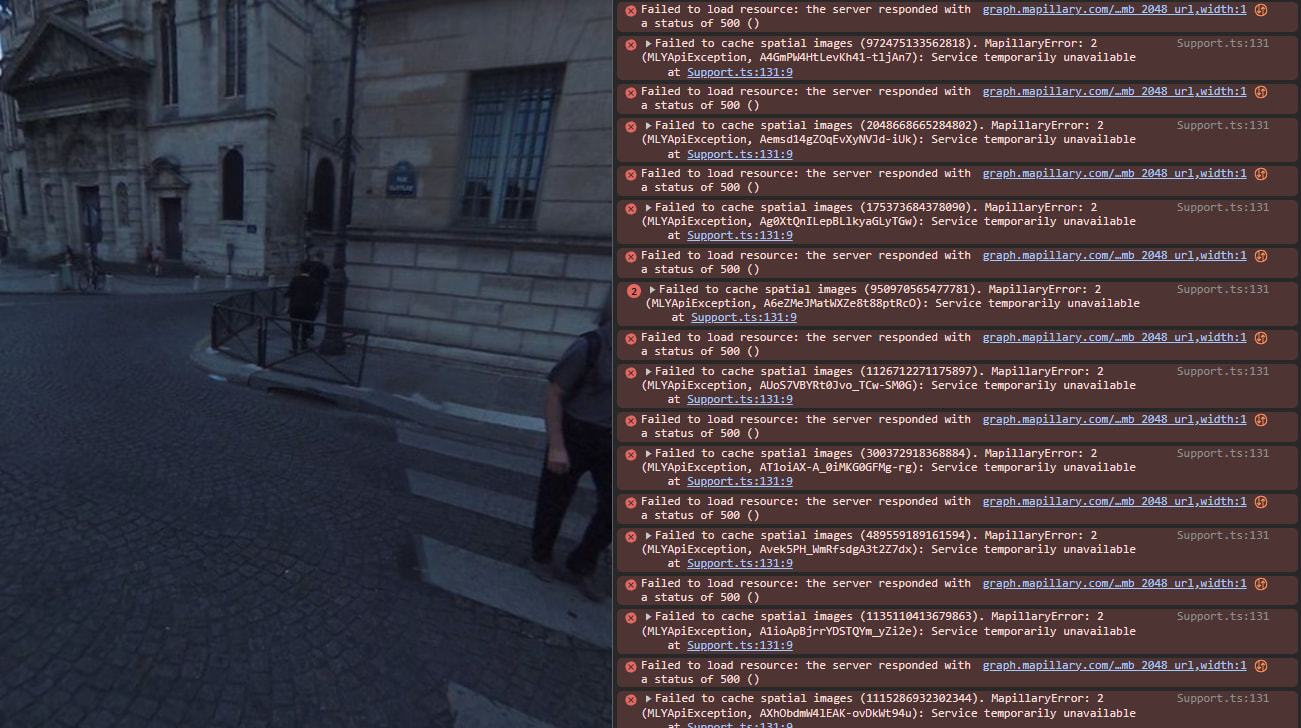
In another location in Paris, I am getting "Service temporarily unavailable” errors today, this time with Chrome :
The density of the images in those areas is so high it makes it difficult to fetch all nearby images for showing navigation arrows. We’re working on reducing the amount of data required for this functionality to improve performance and stability.
Can disabling the cache or decreasing the cache depth help? Again, I tried with cache: false, it didn’t work. Is there a way to reduce the number of image_ids (which are neighboring ids, I guess) ? Any hint about what could help would be welcome. Anything really, as this makes map navigation completely unusable in most large cities.